
Build vs. Buy: The True Cost of Developing Your Own Environmental Data Management Platform

Updated: 4 days ago

“Why can’t we just build this in-house?” It's often the first question management asks when evaluating a software platform.
And it's a fair question.
The answer is simple: Of course you can. But at what cost?
Building a field data collection application or an environmental data management platform is entirely possible. Many engineering and environmental consulting firms have talented IT departments and developers capable of creating software.
But the real question isn't whether your organization can build it. It's whether building, maintaining, supporting, and continuously improving that software is the best use of your company's resources.
Before deciding to build internally, consider what you're actually taking on.
1. It's Not Just the Software. It's the Team Behind It.
Software doesn't operate itself.
When you purchase a platform like QNOPY, you're not simply purchasing access to an application. You're getting an established software platform backed by a team that develops, maintains, supports, and continuously improves it.
Building internally means your organization must take responsibility for all those functions.
You'll need people who can:
Design and develop the initial application.
Build and maintain forms and workflows.
Manage databases, infrastructure, and data storage.
Troubleshoot issues and support field users.
Maintain security, backups, and access controls.
Keep the software compatible with operating system and device updates.
Develop new features as business needs change.
And these aren't one-time responsibilities. They continue for as long as your organization uses the software.
The cost of building the software is just the beginning. The cost of owning it continues indefinitely.
2. Building a Complete Environmental Data Management Platform Is a Million-Dollar Undertaking
Let's be practical. No one seriously believes that building an entire environmental data management platform from scratch is a realistic option for most consulting firms.
But for purely academic reasons, let's consider what would be involved.
A platform like QNOPY isn't just a mobile application for collecting field data. It's an entire software ecosystem that includes mobile applications, offline data collection, data synchronization, databases, user permissions, reporting tools, laboratory data management, GIS capabilities, and integrations with other systems.
Building this would require a dedicated team of software engineers, database developers, UI/UX designers, quality assurance testers, and project managers.
Developing a comparable platform could easily cost $1 million or more before it's even ready for meaningful field testing.
And that's just the beginning. You would still need to test it, fix bugs, deploy it, train users, maintain security, support customers, and continue developing new features.
For most environmental consulting firms, this simply doesn't make economic sense. And, what are the chances your internal users reject the App?
Which brings us to the more realistic option: using an off-the-shelf form builder and developing your own workflows around it.
3. Using an Off-the-Shelf Form Builder Isn't Free Either
Let's consider the more realistic option. Instead of building an entire software platform from scratch, your organization purchases an off-the-shelf form-building application and uses internal resources to configure it for environmental workflows.
This certainly reduces the initial software development cost. But it doesn't eliminate the need for an internal team.
Someone still needs to build the forms, develop calculations and workflows, configure reports and outputs, train employees, and answer support calls when things don't work.
Forms require constant upkeep. Apple and Google regularly release operating system updates, and form-building software vendors continually update their applications. These changes can affect form functionality, calculations, conditional logic, data synchronization, and reporting outputs.
Someone must test the forms, troubleshoot problems, make corrections, and redeploy updated versions. Multiply that across dozens or hundreds of forms, and you have a significant ongoing maintenance responsibility.
What Does It Actually Cost?
Consider a consulting firm with 100 field users and 50 forms. Assume an internal labor cost of $100 per hour and a software licensing fee of $30 per user per month.
The following table illustrates the potential costs of managing this system internally.

4. The Costs That Rarely Make It Into the Initial Budget
When management evaluates an internal solution, the initial software development or licensing expense is usually easy to identify.
The ongoing operating expenses are much harder to estimate.
Software licensing: Even when using a generic form builder, you may need licenses for field users, administrators, reporting tools, database software, and integrations.
Data storage and infrastructure:
Field data, photographs, laboratory results, attachments, and project records accumulate over time. They need secure storage, backups, controlled access, and reliable retrieval.
Support staff:
When a field user has a problem at a remote project site, someone needs to help. A software issue can delay sampling, inspections, or other scheduled field activities.
Database administration:
Data must be organized, maintained, protected, and made available for analysis and reporting.
Maintenance and upgrades:
Mobile operating systems change. Security requirements evolve. Integrations break. Existing workflows must be tested after updates.
Ongoing innovation:
Your organization must continue investing in new capabilities to keep the system relevant. That includes AI, improved reporting, better integrations, and new ways of collecting and analyzing data.
These costs don't disappear after the application is deployed. In many cases, they grow as adoption increases.
5. What Happens When Your Internal Developer Leaves?
Environmental and engineering consulting firms operate on billable hours. Engineers, geologists, and scientists generate revenue by working on client projects.
So here's an important question: How are you going to bill your clients for developing and maintaining your internal software?
You generally can't.
The hours spent building forms, maintaining software, fixing bugs, answering support calls, and developing new features aren't directly billable to clients. They become overhead.
And unlike a one-time investment, this overhead doesn't go away.
Once you've assembled an internal team to manage your software, you need to retain that team for as long as you intend to use the platform. You can't simply reassign everyone to billable projects once the initial development is complete.
Someone must remain responsible for maintaining the forms, supporting users, managing infrastructure, fixing issues, and keeping the software running.
The cost becomes a permanent part of your operating expenses.
The Billability Trap
One approach might be to assign software development and maintenance responsibilities to engineers or other technical employees who also work on billable projects.
On paper, this seems efficient. When they aren't working on client projects, they can improve the internal software.
But there's a fundamental problem with this approach.
Client deadlines and billable work will almost always take priority. Software enhancements get postponed, maintenance is delayed, and innovation becomes something people work on only when they have spare time.
And if you measure these employees primarily on billability, you're creating conflicting incentives.
You can't expect someone to maintain high billability while also taking responsibility for developing and continuously improving an internal software platform.
Eventually, one will suffer. More often than not, both will.
The software falls behind because no one has enough dedicated time to improve it. And your technical professionals lose productive hours switching between client work and software responsibilities.
There's also the risk of depending on a few individuals who understand how the system works. If they leave, get promoted, or become unavailable, the organization must find someone else to take over.
A Permanent Commitment to a Different Business
Building software is one thing. Operating a software platform is an entirely different, long-term commitment.
You need dedicated people, management oversight, continuity, and an ongoing budget.
For a consulting firm, that's effectively creating a software operation inside a business whose primary purpose is delivering engineering and environmental services.
The real cost of an internal platform isn't just the money you spend building it. It's the permanent overhead you take on to keep it alive.
6. The QNOPY Approach: Software, Services, and Continuous Improvement
QNOPY takes a different approach.
QNOPY isn't simply a form-building application that your organization purchases and then has to figure out how to use.
It's a complete environmental and engineering data management platform, backed by a team that understands the workflows and takes responsibility for making them work.
We Build and Maintain Your Forms and Workflows
With QNOPY, you don't need to dedicate internal developers to building forms, configuring calculations, or creating reporting outputs.
Our team works with your engineers and geologists to understand their requirements and configure the forms and workflows they need.
When requirements change, we make the updates.
When something doesn't work as expected, our support team investigates and fixes it.
And when new capabilities are introduced, we help customers incorporate them into their workflows.
We Support Your Users
Field users shouldn't have to submit an internal IT ticket and wait for someone to figure out why a form isn't working.
QNOPY provides direct customer support from a team familiar with both the application and the workflows it supports.
Whether it's a form issue, a question about data, or a reporting requirement, our team works with customers to resolve problems promptly.
We Manage More Than Field Data
QNOPY brings together capabilities that would otherwise require multiple applications or internally developed integrations.
These include:
Field Data Collection: Mobile applications with offline functionality, collaboration, calculations, photographs, and synchronization.
Laboratory Data Management: Importing, organizing, and managing analytical results.
Soil Studio: Geotechnical boring logs and cross-sections.
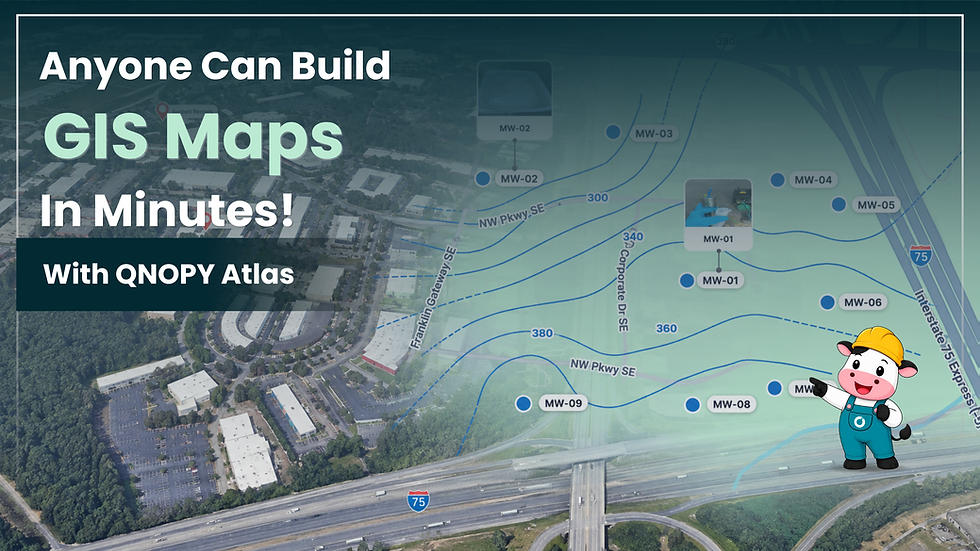
Atlas: GIS visualization, mapping, and groundwater contouring.
Reporting: Generating structured outputs and project deliverables.
AI-Powered Tools: Speech-to-form, AI-assisted form building, automated documentation, and other capabilities.
The objective is simple: collect data once and make it available wherever it's needed, without repeatedly exporting, reformatting, and transferring information between disconnected systems.
We Keep Innovating
QNOPY's development team continuously works on new features, enhancements, integrations, and technologies.
Our customers benefit from those investments without having to create their own software development departments.
And because the platform serves multiple environmental and engineering organizations, improvements driven by one customer's requirements can often benefit others.
With QNOPY, you're not just buying software. You're getting the software, the development team, the support team, and ongoing innovation.
7. Your Data Stays Yours
A fair question for any vendor is: “What happens to our data if we leave?” With QNOPY, the answer is simple.
You own your data. Every field record, lab result, photo, and soil log you collect belongs to your organization, not to QNOPY.
You can take it with you at any time. Data can be exported in standard formats such as CSV, Excel, PDF, EDD files, or shapefiles, so it remains usable in your other systems or in any future platform.
Your data is protected. QNOPY handles secure cloud hosting, automated backups, encryption, access controls, the same work your internal team would otherwise own.
No long-term trap.
When you build in-house, your data depends on the people who built the system. With QNOPY, it depends on a documented, supported platform, and it is always available to you.
8. Build vs. Buy: The Real Comparison
When evaluating the alternatives, management should look beyond the initial software license price.
The true comparison is between the total cost of developing and operating an internal solution and the cost of purchasing a fully supported platform.
The difference becomes particularly meaningful as the number of users, forms, projects, and workflows increases.
A system that seems inexpensive when supporting ten users and a handful of forms can become a substantial internal operation when deployed across hundreds of users and multiple offices.
9. The Bottom Line
Can your organization build its own environmental data management solution?
Absolutely.
Can you purchase a generic form builder and configure it to meet many of your needs?
Of course.
But neither option eliminates the cost of building forms, maintaining workflows, supporting users, managing data, or keeping up with changing technology.
And those responsibilities don't go away after the initial implementation. They continue year after year.
With QNOPY, you're purchasing more than access to software. You're getting a purpose-built platform and an experienced team that builds, maintains, supports, and continuously improves it.
Your engineers and geologists can focus on engineering and geology. Your project managers can focus on delivering projects. And your IT team can focus on the technology priorities that matter most to your business.
The real question isn't, “Can we build it ourselves?”
It's, “Why should we?”


Comments